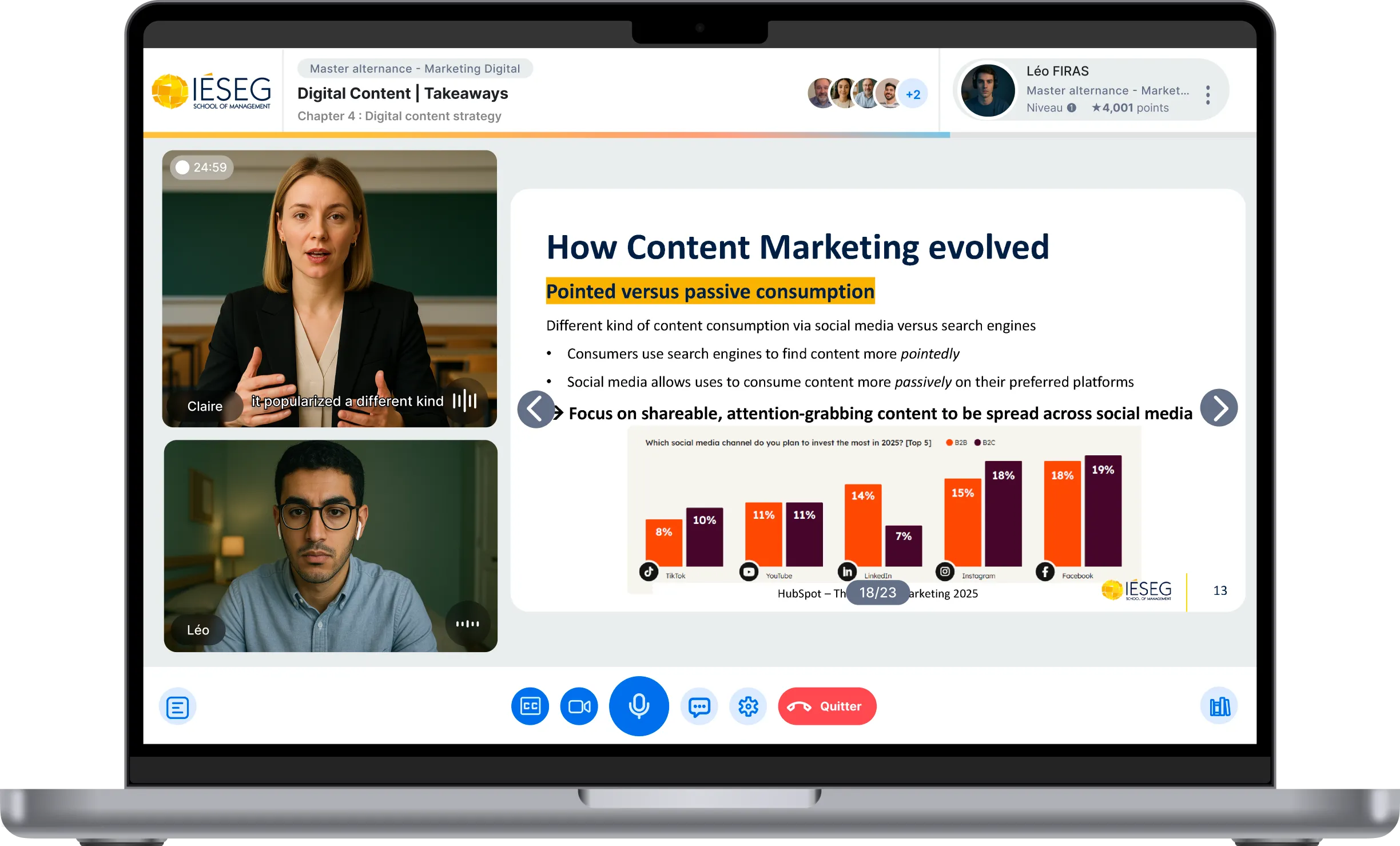
At Complement, we have a simple conviction: trainers and teachers should spend more time transmitting their knowledge, and less time struggling with technical tools.
That's why we're launching a new voice dictation feature in our module creation interface today.
🎉 A new feature designed to further accelerate the online deployment of your modules.
🎤 You present, we build the training
How does it work in practice? You import your PowerPoint presentation into Complement as a PDF, then activate the slide-by-slide voice dictation. Simply speak, as if you were presenting each slide to a classroom or a group of trainees.
Our AI then takes care of everything:
- It automatically rephrases your content orally, in a personalized way adapted to each learner.
- She provides a voiceover via an AI avatar , with which your learners will converse orally.
- It generates oral quizzes at the end of each chapter to check learning outcomes
Result: 1 hour of oral presentation = 1 hour of online content .
⚙️ The steps for creating a Complement (updated April 2025)
Creating a course on Complement only takes a few hours . Here's the complete process:
- I import my presentation (PowerPoint → export PDF)
- With one click, all the slides are added to my module
- I dictate or copy-paste the script for each slide
- If I already have notes, a handout, or a script, I cut and copy and paste the corresponding content for each slide. If I don't have these notes, thanks to the new voice dictation feature, I can present my lecture naturally in front of my screen with the microphone open, and voilà, I have a transcript for each slide.
- I generate my end-of-chapter quizzes
- With one click, the AI suggests open-ended oral questions and the expected answers. I can modify them if needed. Or start from scratch myself, or retrieve multiple-choice questions I've already answered.
- I'm adding additional resources
- Videos, PDFs, podcasts, web pages—all the resources that complement my slides. By enabling RAG (Resource Access Group), I can force the avatar to prioritize searching these resources for answers to my users' questions.
- I publish my course and share it with my students/collaborators
- All in just a few clicks. I can add an Excel/CSV file with all my users at once, or connect Complement to my LMS to retrieve groups and users.
✅ Why trainers love Complement
- No more video production : no need for a studio, filming or editing.
- Ultra-fast module creation : an entire training course lasting several hours can be ready in half a day.
- Simple modification : change some text, add a slide, and publish in seconds.
- Detailed statistics : you can track progress, questions asked, concepts not well understood, what is missing according to your users, etc.
- Continuous improvement : the feedback collected feeds into your future sessions.
🚀 In summary
With Complement, you speak once… and your module is ready.
You create, you publish, and your learners interact with an AI tutor who talks to them, answers them, and helps them progress.
Are you a trainer, teacher or educational manager?
Try voice dictation today on Complement.
👉 Try it for free or 👉 Request a demo


.jpg)
%401x.svg)